iTranslate Translator
- 3.4
- Rating
- 50.00M
- Installs
- Free
- Price

 Analysis by App-foxy
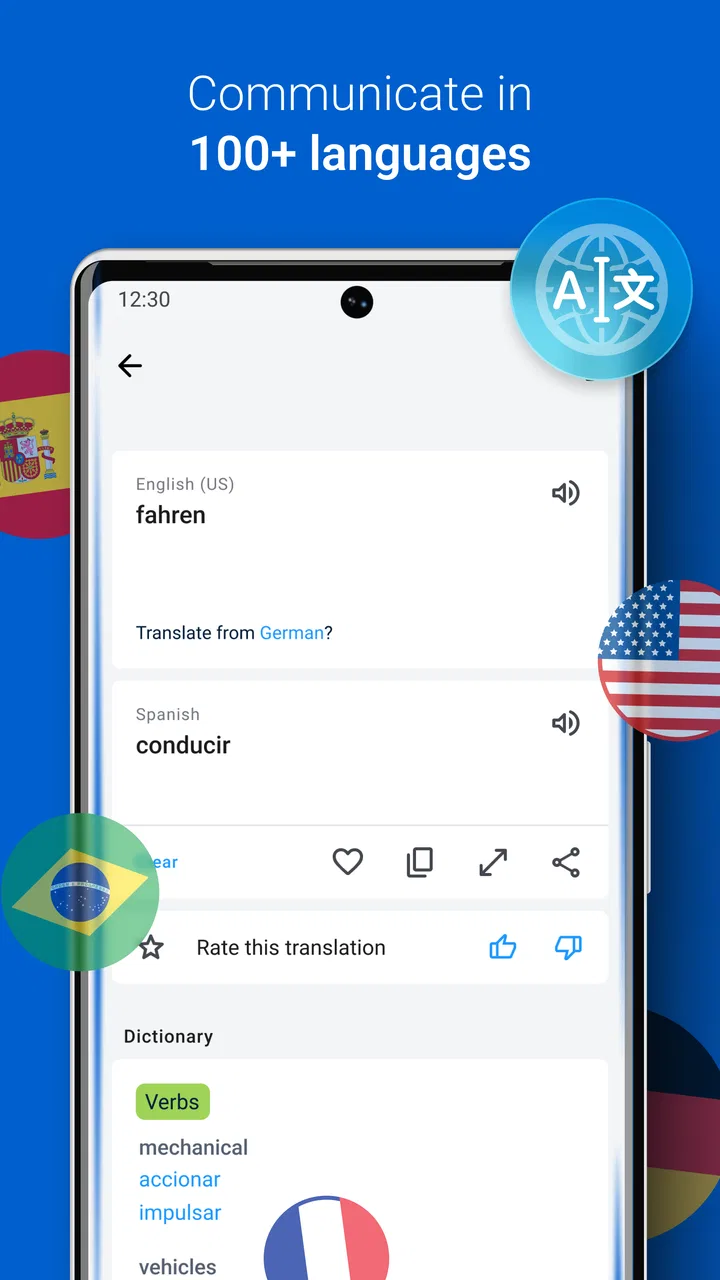
I often think of translation apps as emergency tools rather than something I open for fun. A menu arrives in an unfamiliar script, a traveler sends a voice message, or I need to understand a photograph before deciding what to do next. In those moments, speed matters, but so does knowing where the translation came from and how much confidence to place in it. iTranslate Translator, developed by Mosaic Srl, is built around that practical situation. It is a free productivity app for translating text, speech, and photos across up to 100 languages, with optional in-app purchases ranging from $1.99 to $124.99 per item.
After using it as a general-purpose translator, I found that its strongest quality is flexibility. I can begin with typed words, switch to voice when my hands are busy, or use a camera when the source is printed or displayed on a screen. That makes it more useful than a simple dictionary, especially when the original material changes from one moment to the next. At the same time, it is not a substitute for a professional translator, careful language study, or a second opinion in situations where a small mistake could cause trouble.
From an unfamiliar phrase to a usable answer
I find a translator most useful when a phrase has to be understood by more than one person, not just whoever is holding the phone. This section looks at how a shared device can help with a quick household task while keeping each translation tied to the person and situation that prompted it. From there, I’ll consider the small setup choices that make shared use clearer.
You May Also Like

 Blood Strike: 2.5 Anniversary
Blood Strike’s Loadouts Turn Every Drop Into a Tactical Gamble
A close look at Blood Strike’s custom loadouts: how fast access to signature weapons reshapes its battle royale rhythm, rewards preparation, and narrows the gap between fights.

 Pandora - Music & Podcasts
Pandora’s Music Is Easy to Start, but Harder to Recover
Pandora’s strength is its low-effort path from a seed to a station. Its weak spot is how much confidence it asks you to place in connection, setup, and quiet recovery.

 8 Ball Pool
 Is Built on Rivalries, Rematches, and Routine
A close look at the rivalries, rematches, shared routines, and unanswered safety questions that turn a quick pool match into a persistent mobile community.

 Samsung Music
’s Quiet Strength Is Playing What You Already Own
Its reach comes less from spectacle than from dependable access to a personal library. That simplicity is both the app’s strongest retention engine and its ceiling.

 AccuWeather: Weather Radar
AccuWeather Review: A Quick, Clear Forecast for Everyday Decisions
For everyday plans, the best forecast is the one you can understand quickly. AccuWeather makes rain timing, radar, and local conditions easy to act on, with a few trade-offs.

 Hill Climb Racing
Why Hill Climb Racing Still Turns Crashes Into One More Run
A tiny car, a bumpy hill and one more upgrade: Hill Climb Racing keeps resurfacing because its simple chaos makes every near-miss feel personal.
More From Our News Desk
View All News


Starting with the right kind of input
The first decision is not which language to choose; it is how to capture the information. If I already have a short sentence in a message or document, typing is the cleanest starting point. It gives me a chance to correct spelling, remove distracting punctuation, and isolate the exact phrase I want translated. That small preparation step makes a noticeable difference because a translator can only work with the text it receives.
When someone is speaking directly to me, voice input is more natural. I do not have to pause the conversation to recreate every word on a keyboard. I can let the app handle the spoken request, read the result, and then use that result to keep the exchange moving. This is particularly helpful when asking for directions, clarifying a simple need, or understanding a short reply.
Photo translation is useful in a different way. I might point the phone at a sign, a product label, a printed notice, or a menu instead of copying every line manually. The camera route saves time, but it also introduces more opportunities for confusion: glare, unusual fonts, curved surfaces, poor lighting, and crowded layouts can all affect what the app recognizes. I treat the first result as a quick reading aid, not as proof that every word has been interpreted perfectly.
The best workflow begins by matching the input method to the source. Typing is usually best for precision, voice is best for speed during a conversation, and photos are best when the original text would be tedious to enter. Choosing deliberately is more useful than always relying on the most impressive-looking option.
Building a translation step by step
For a typed request, I start with a short piece of language rather than pasting an entire paragraph. Shorter sections are easier to inspect, and they make it simpler to notice whether the meaning has changed because of context. If the sentence contains a name, address, product code, or unusual expression, I keep those elements separate where possible. That helps me distinguish a genuine translation from a guess based on a messy input.
With spoken language, I try to reduce background noise and speak in complete phrases. Rushing through several ideas at once makes the result harder to judge. A useful habit is to say one request, wait for the translation, and then confirm the important part before continuing. This turns the app into a conversation aid instead of a machine that produces a long block of text nobody checks.
For photographs, I frame only the relevant area when I can. A full wall of text may look convenient, but a tighter image often gives the translator a clearer target. I also compare the translated result with visible details such as numbers, dates, and names. Those items are easy to misread and often matter more than the surrounding sentence.
One practical tip is to keep the original beside the translation whenever the decision matters. I do not want to remember only the English result and lose the source wording. Seeing both versions lets me question an odd phrase, retry a section, or ask a person who knows the language to clarify it. This is one of the most important differences between using iTranslate for orientation and using it as the final authority.
Managing the handoff between people
A translation app becomes genuinely useful when the result has to leave the screen and enter a real conversation. Imagine arriving at a rental apartment and finding instructions posted near the entrance in another language. I can photograph the notice, identify the key information, and then use the translated wording to ask the host about anything unclear. The app handles the first handoff from printed text to understandable language; the host handles the second handoff from machine output to local context.
The same pattern works in a restaurant. I can translate a menu item, but I still need to confirm ingredients if allergies are involved. A translated phrase may help me ask the question, yet the answer deserves attention from someone who understands the food and the consequences of a mistake. In this situation, the app improves access to the conversation without pretending to replace it.
Voice translation can also help when two people have no shared language. I find it more effective for short turns than for speeches. Each person should have a clear opportunity to speak, and both sides should be prepared to rephrase when the output sounds strange. If a sentence produces an awkward result, that is not necessarily a failure; it may indicate that the original idea needs to be expressed more simply.
For messages and emails, I prefer to translate a passage first and then rewrite the response myself. A literal output can miss the level of politeness or the relationship between the speakers. iTranslate can help me understand the basic meaning and prepare a reply, but I would not send an important business message without checking tone, names, and technical terms separately.
What happens after the first result
The result is most valuable when it leads to an action: finding the correct platform, understanding a warning, ordering the right item, or deciding whether a message needs an answer. I try to ask whether the translation is sufficient for that action. If I only need the general subject of a notice, a quick result may be enough. If I need to sign, pay, take medicine, or follow a legal instruction, I need stronger verification.
This distinction helps avoid a common mistake: treating a fluent sentence as a guaranteed sentence. Translation quality depends on language pair, context, grammar, regional usage, and the quality of the original input. A result can sound natural while still missing an important detail. I use the app to reduce uncertainty, not to disguise uncertainty.
It also works well as a lightweight learning companion. When I encounter an unfamiliar phrase, I can compare the translation with the surrounding situation and notice recurring vocabulary. That is more useful than translating random words without context. However, learners who need structured lessons, pronunciation coaching, spaced repetition, or detailed grammar explanations will probably want a dedicated language-learning app alongside it.
The app’s broad language coverage is another reason it can stay useful across different trips or projects. I do not need a separate tool every time the language changes. Still, “up to 100 languages” should not be interpreted as identical performance in every language. I would expect the most common language pairs to be more comfortable for everyday use than specialized or less familiar combinations, so I remain especially cautious with idioms and regional expressions.
Where the workflow becomes less comfortable
The main friction is that convenience can encourage overconfidence. A camera can turn a complicated sign into an approachable result, but the process may become less reliable when text is decorative, tightly packed, partly hidden, or photographed at an angle. Voice input has a similar weakness: accents, fast speech, interruptions, and environmental noise can change the words before translation even begins.
There is also a practical difference between a quick travel question and a high-stakes document. I would use iTranslate to understand the general topic of a letter, but I would not rely on an automated result alone for a contract, immigration paperwork, medical instructions, or a financial commitment. In those cases, a qualified human or an official translation is the better choice. The app is a bridge to understanding, not a certification service.
Another consideration is the free-to-use model. The app is free to install, but optional purchases are available, and the listed price range reaches from $1.99 to $124.99 for an item. I would check what a particular paid option unlocks before committing, especially if I only need occasional translations. Someone who translates every day may find extra capabilities worthwhile, while a casual traveler may prefer to stay with the basic experience.
People who need a full offline language toolkit should also examine their travel plan carefully before depending on the app. A translator is most helpful when it is ready at the exact moment it is needed, so I would test the intended workflow before leaving home rather than discovering limitations beside a ticket machine or hotel desk. If the priority is offline reliability, a tool designed specifically around downloaded language packs may be a better fit.
How it compares with familiar alternatives
Compared with a traditional dictionary, iTranslate is faster for complete phrases and more practical when the source arrives as speech or an image. A dictionary remains better when I want to study definitions, compare several senses of a word, or understand detailed usage notes. The app gives me an answer quickly; the dictionary often gives me more control over why that answer is appropriate.
Compared with a browser-based translator, a dedicated mobile app feels more natural when the task begins with the phone camera or microphone. I do not have to move between as many separate steps. A browser can still be preferable when I am working at a computer, comparing multiple sources, or handling a long document where editing space matters more than mobile convenience.
Compared with a specialized language-learning application, this one is focused on getting meaning across rather than building a course. That makes it a better companion for travel, occasional communication, and quick comprehension. It is the weaker choice for someone whose main goal is a planned curriculum, regular exercises, or measurable progress in speaking and grammar.
Its average rating is 3.4 from around 396 thousand ratings, with roughly 20 thousand written reviews, while its reach exceeds 50 million installs. I read those figures as a sign that the app is widely used but not universally satisfying. That matches my experience: the range of input methods is genuinely convenient, yet translation remains dependent on context and careful checking.
Compatibility, audience, and day-to-day fit
The current version is 7.1.0, and it requires Android 6.0 or later. It carries an Everyone age rating, which fits its role as a general productivity tool rather than an app aimed at a narrow audience. I would recommend it to travelers, multilingual households, students who need quick clarification, and anyone who occasionally receives text or speech in another language.
I would be more selective for professional translators, companies handling confidential documents, or users who need a permanent record of carefully verified terminology. Those people may need specialist software, human review, stronger document workflows, or terminology management. iTranslate can still be useful during the first pass, but it should not be the entire process.
For an everyday scenario, picture a visitor at a pharmacy. They photograph a label, translate the visible instructions, and use voice input to ask a short follow-up question. The app helps them move from written information to spoken clarification, but the pharmacist remains essential for confirming dosage and suitability. That combination shows the app at its best: it removes a language barrier enough to start the right conversation.
My final assessment after following the full workflow
I like iTranslate most when I treat it as a flexible first response. I can begin with a phrase, a voice recording, or a photo, then carry the result into a conversation or a decision. That complete path—from input to interpretation to human confirmation—is where the app earns its place on my phone. It is quicker than manually searching a dictionary and more adaptable than a text-only tool.
Its limits are just as important. The app cannot guarantee that a difficult sentence, noisy recording, or poorly framed photograph will preserve every detail. It is not the right final step for medical, legal, financial, or safety-critical information, and people seeking structured language instruction should choose a more specialized companion. I also recommend checking any optional purchase carefully rather than assuming the free installation includes every capability.
Overall, I would recommend it to a friend who wants one approachable translator for mixed, real-world situations. The strongest habit is simple: choose the input method carefully, keep the original visible, use short exchanges, and confirm anything important with a fluent person or authoritative source. Used that way, iTranslate is a practical productivity app that helps turn an awkward language barrier into a manageable next step.
FAQs for iTranslate Translator
01What is iTranslate Translator, and what can it do?
iTranslate Translator is a mobile translation app for Android and iOS that helps you translate words, phrases, and longer text between many languages. Depending on the language pair and available features, it may also support voice conversations, speech recognition, camera-based translation, pronunciation tools, and offline language packages. It is designed for travel, everyday communication, study, and quick reference, although results can vary with context and dialect.
02Is iTranslate Translator free to download and use?
The app can generally be downloaded at no initial cost, but not every feature is available in the free version. Advanced tools, such as selected voice or camera translation options, offline language packs, or an ad-free experience, may require a subscription or in-app purchase. Before confirming payment, check the current plan details, renewal terms, trial period, and cancellation instructions shown in your device’s app store.
03Does iTranslate Translator work without an internet connection?
Some offline functionality may be available through downloadable language packs, but offline support is not necessarily identical for every language or feature. Text translation may work more reliably offline than speech recognition, conversation mode, or camera translation, which can depend on online services. If you plan to travel without mobile data, download the required languages in advance and test them before leaving.
04How accurate are the translations in iTranslate Translator?
iTranslate Translator can provide useful results for common phrases, travel conversations, menus, signs, and general written content. However, machine translation may misunderstand slang, regional expressions, technical terminology, humor, or sentences with limited context. Voice input can also be affected by background noise or pronunciation. For legal, medical, academic, or business-critical documents, its output should be reviewed by a qualified human translator.
05Is iTranslate Translator safe to use, and what permissions does it require?
The app may request access to features such as the microphone for voice translation, the camera for translating text in images, and internet connectivity for online translation services. Review the permissions requested during installation and in your device settings, granting only those you are comfortable using. You should also read the current privacy policy to understand how voice recordings, images, translations, and account information may be handled.
Pros
- Supports voice
- text
- camera
- and conversation translations.
- Offers offline language packs for use without mobile data.
- Includes pronunciation playback to help with speaking accuracy.
- Covers a broad selection of languages and regional dialects.
- Clean interface makes common translations quick to access.
Cons
- Many advanced features require a paid subscription.
- Offline translation quality can vary by language pair.
- Voice translation depends heavily on microphone and audio quality.
- Frequent subscription prompts may interrupt the free experience.
- Some translations may miss context
- slang
- or industry-specific terms.

iTranslate Translator
Gallery